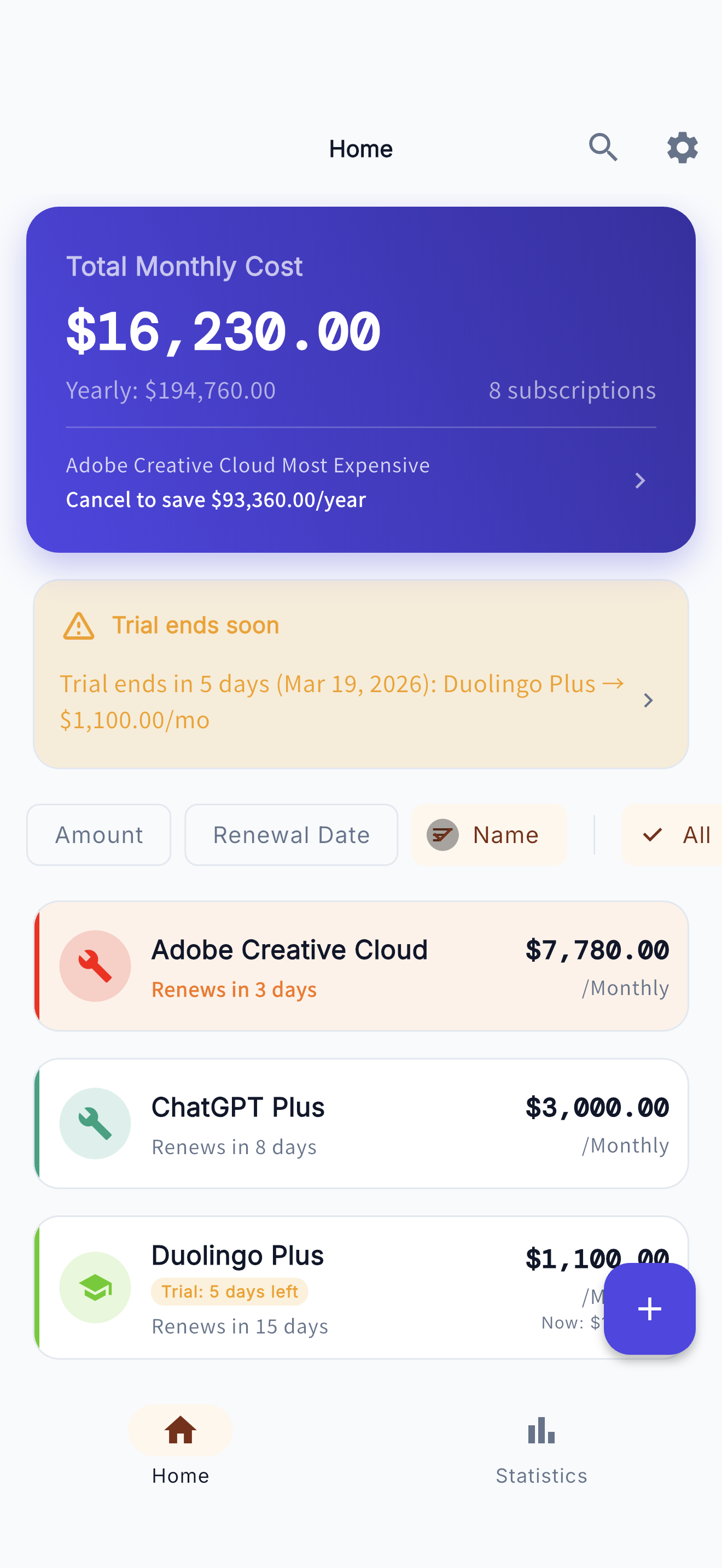
Manage Everything from the Dashboard
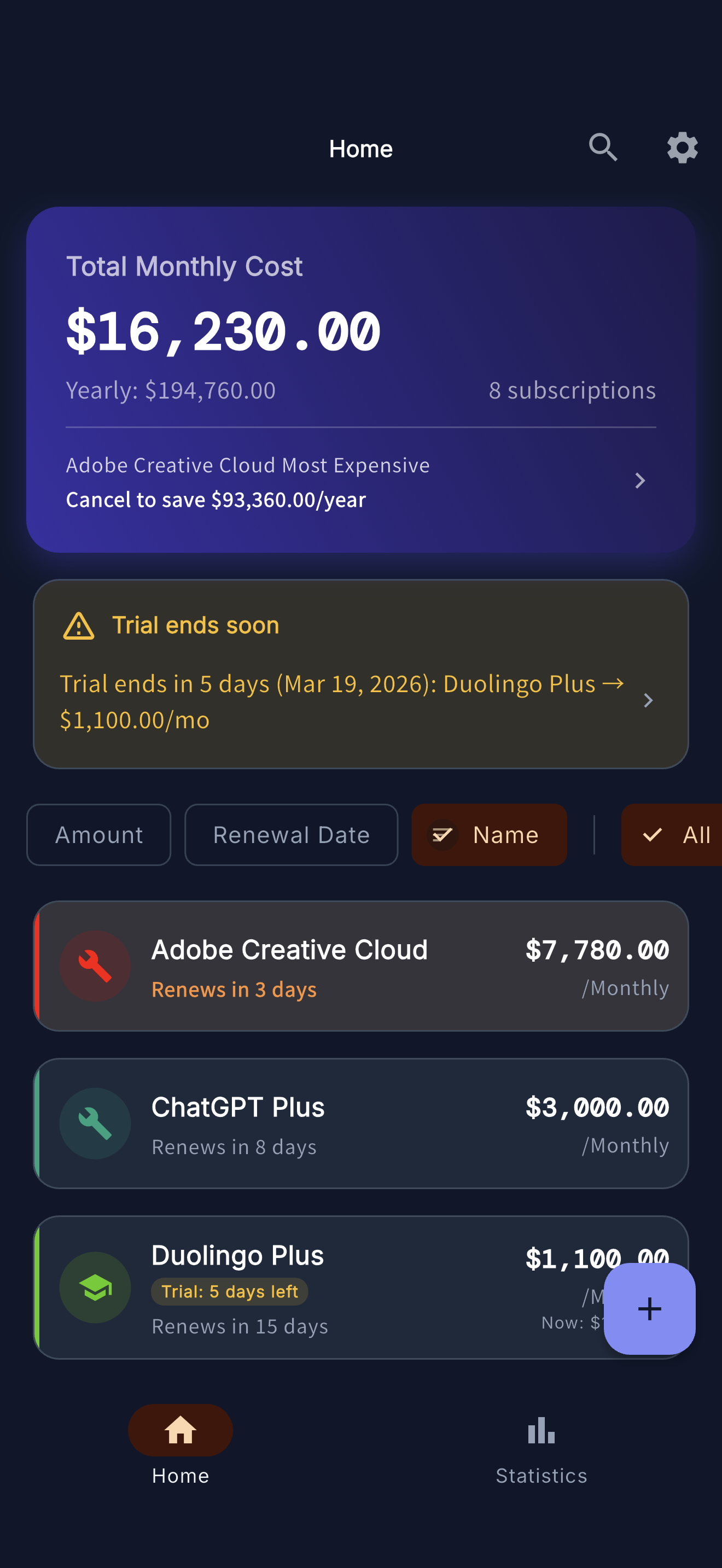
- 1 Your monthly total is displayed at the top of the screen. You can also check the annual estimate.
- 2 Your most expensive subscription and potential savings are highlighted.
- 3 Services with expiring trial periods are shown with a warning banner.
- 4 You can sort subscriptions by amount, renewal date, or name.
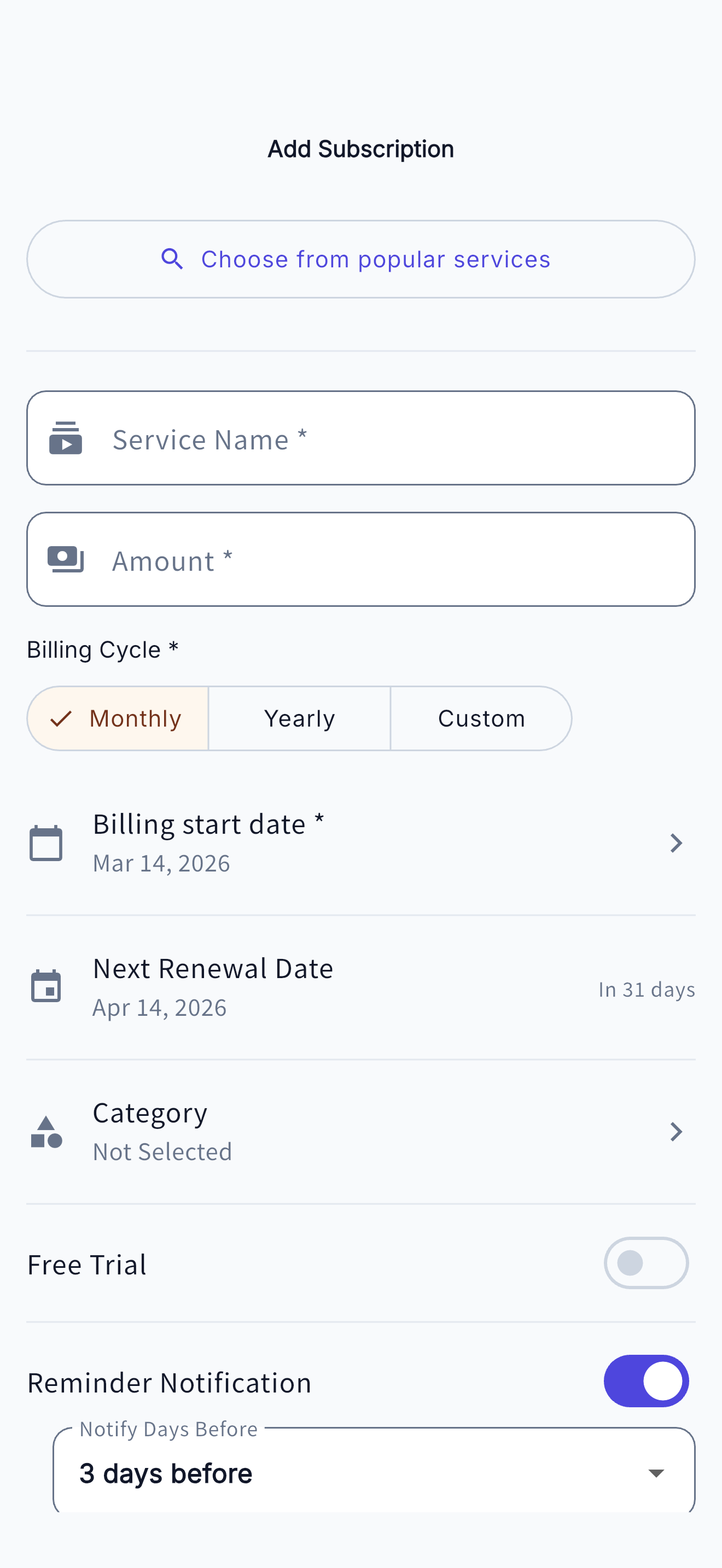
Easily Add Subscriptions
- 1 Choose from popular services - Add Netflix, Spotify, and more with a single tap.
- 2 Billing cycle can be set to monthly, yearly, or custom (weekly, etc.).
- 3 Set a free trial and get notified before it expires.
- 4 Receive reminder notifications a few days before the renewal date.
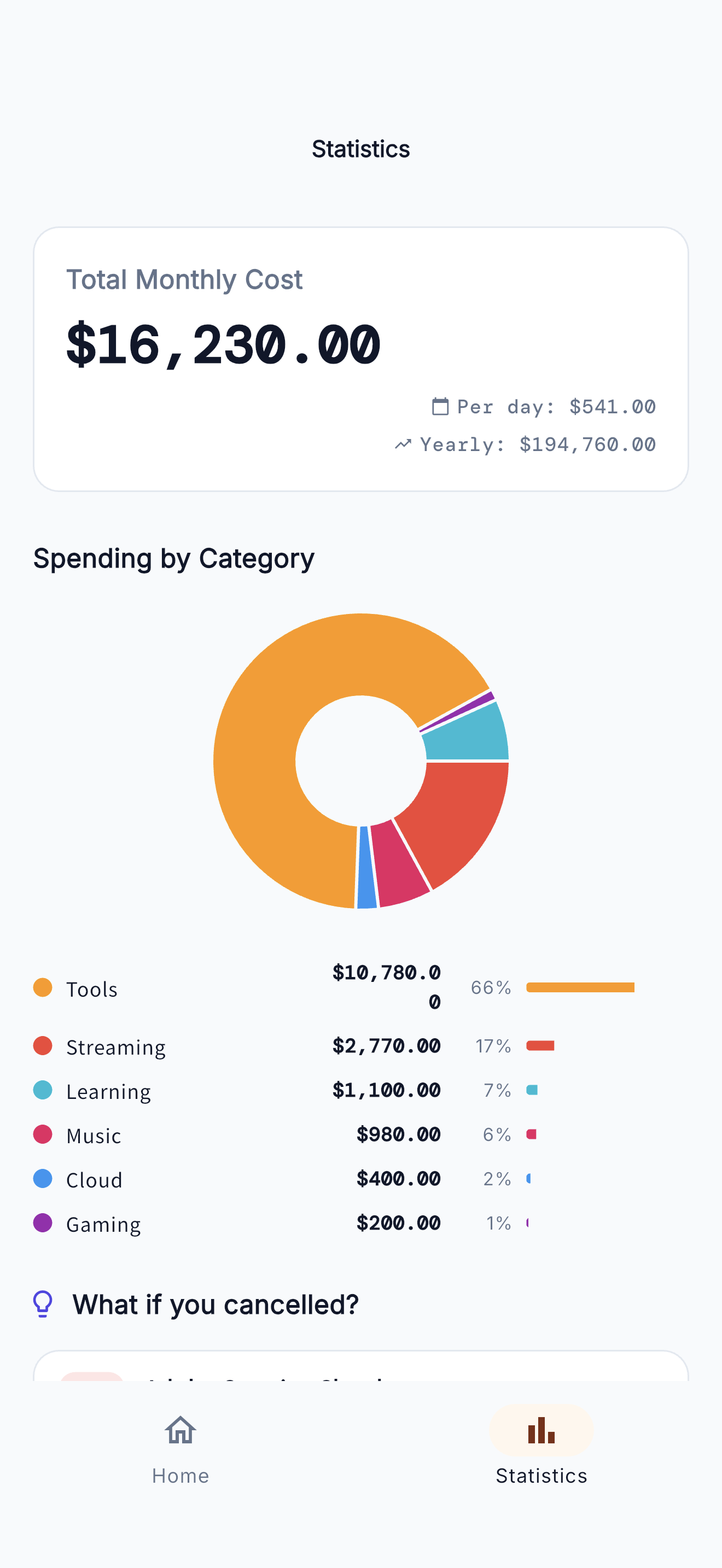
Analyze Your Spending
- 1 View your total costs at a glance: monthly, daily, and yearly.
- 2 Visualize your spending breakdown with a category pie chart.
- 3 Amounts and percentages per category are displayed for tools, streaming, education, and more.
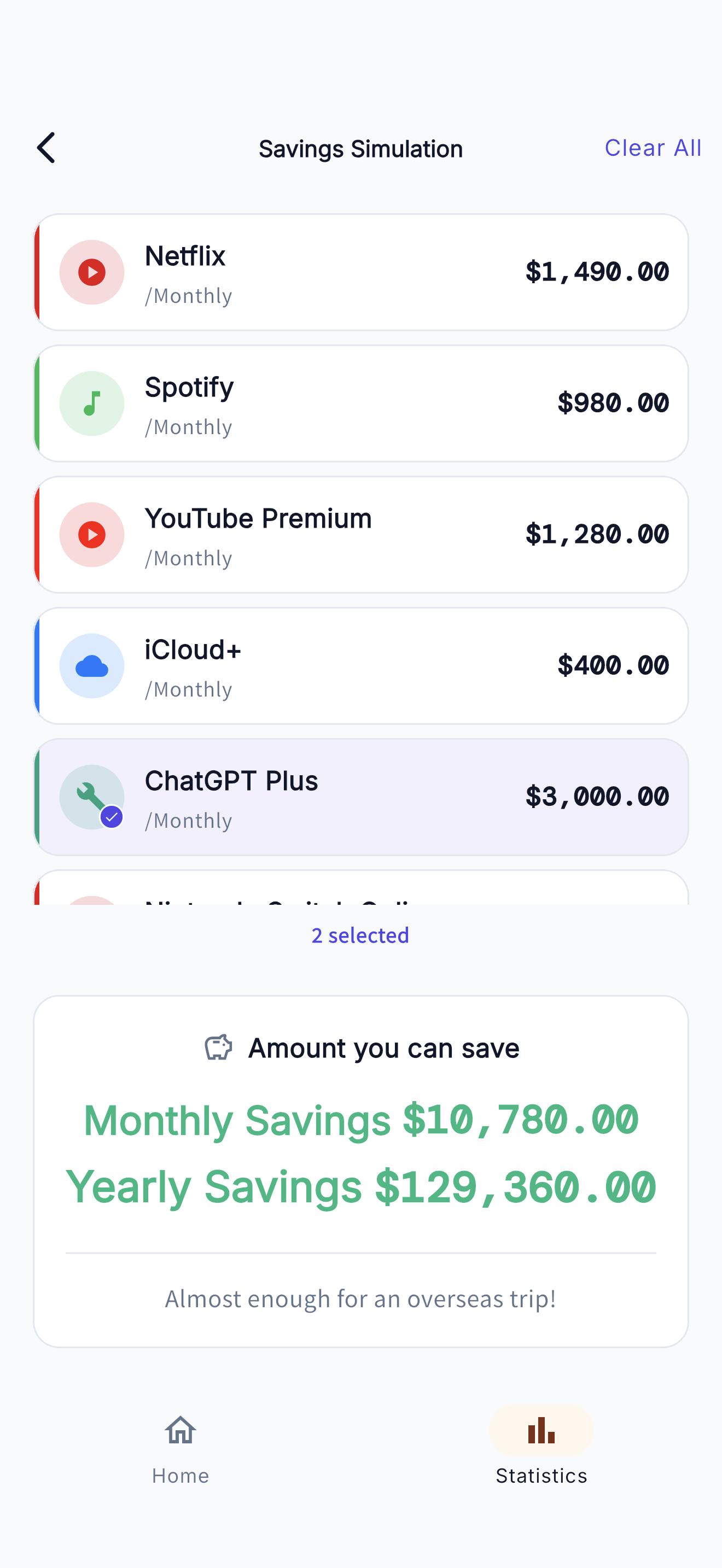
Savings Simulation
- 1 Open the savings simulation from "What if I cancel?" on the statistics screen.
- 2 Simply tap to select the services you're considering canceling.
- 3 Your monthly and yearly savings are calculated in real time.
Dark Mode Support
Switch between light mode, dark mode, or follow your system settings from the settings screen. The eye-friendly dark mode makes nighttime use comfortable.
FAQ
Where is my data stored?
All data is stored only on your device. No data is ever sent to a server. Please note that if you delete the app, your data will also be erased.
I'm not receiving notifications
Please make sure notifications for Subca are enabled in your device settings. Also, check that notifications are turned on in the app settings and that notification settings are enabled for each subscription.
Can I change the currency?
You can change the currency from the settings screen. After changing, the new currency will be applied to newly added subscriptions.
Can I back up my data?
Currently, there is no backup feature within the app. Please be aware that data may be lost if you lose your device or delete the app.
Need Help?
If you have any questions or feedback, please feel free to contact us.
Contact Form